

Sudden frost buildup in your Samsung ice maker can feel confusing, especially when you just want a steady supply of clean, crisp ice. Learning How To Defrost Samsung Ice Maker helps you understand what’s really going on inside your freezer and gives you the power to fix the issue before it becomes a bigger problem. Instead of guessing or trying random tricks, it’s far better to know exactly why the ice maker freezes up and what steps will safely bring it back to top performance.
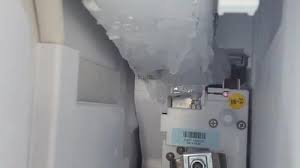

Step-by-Step: How To Defrost Samsung Ice Maker
Defrosting your Samsung ice maker may seem like a chore, but with the right approach, it can be straightforward and safe. Regular defrosting ensures consistent ice production, prevents jams, and maintains the quality of your ice. Follow this detailed guide to defrost your ice maker efficiently.
Step 1: Turn Off the Ice Maker and Unplug the Refrigerator
Before starting, power off the ice maker and unplug your refrigerator. This is crucial for safety since you’ll be working with water around electrical components.
Step 2: Remove All Ice and Trays
Take out any remaining ice cubes and remove the ice tray or bin. Emptying these components prevents ice from falling into the ice maker mechanism during defrosting and makes cleaning easier.
Step 3: Prepare Towels and Containers
Place towels on the floor and a shallow container under the ice maker to catch melting ice and water. This prevents water from pooling and keeps your kitchen dry.
Step 4: Use Warm Water to Loosen Ice (Optional)
If ice buildup is heavy, fill a spray bottle with warm water (not boiling) and lightly mist the ice or tray. The warmth will help soften stubborn ice, making it easier to remove. Avoid pouring water directly onto electrical components.
Step 5: Gently Scrape Off Ice
Using a plastic or silicone scraper, carefully remove ice buildup from the tray, auger, and surrounding areas. Work slowly to avoid damaging the ice maker’s internal components. Focus on areas where ice is clumping or blocking the mechanism.
Step 6: Clean the Ice Tray and Surrounding Area
Once the ice is removed, clean the ice tray, bin, and interior surfaces with warm water and a soft cloth or brush. Avoid harsh chemicals; mild dish soap is sufficient. Pay attention to sensors, corners, and crevices where frost or residue may accumulate.
Step 7: Dry Thoroughly
After cleaning, dry the ice maker, tray, and bin completely with a towel. Any remaining moisture can refreeze and cause new blockages if not removed.
Step 8: Reassemble the Ice Maker
Place the ice tray and bin back into the ice maker. Ensure everything is properly aligned and seated to prevent leaks or jams during operation.
Step 9: Plug In and Restart
Plug your refrigerator back in and turn on the ice maker. Monitor its operation for a few hours to ensure that ice production resumes smoothly and no further freezing occurs.
Step 10: Maintain Regular Defrosting
To prevent future freeze-ups, check your ice maker every few weeks for frost or ice buildup. Keep freezer temperatures at the recommended level (usually around 0°F / –18°C) and ensure the door seals are tight to minimize moisture intrusion.
Defrosting your Samsung ice maker doesn’t have to be complicated. By carefully removing ice, cleaning components, and maintaining regular checks, you can ensure consistent ice production and extend the life of your appliance. Following this method keeps your ice maker efficient, safe, and free from frustrating freeze-ups.
How to Prevent Your Samsung Ice Maker From Freezing Again

A frozen Samsung ice maker can be frustrating, especially when it interrupts ice production or damages internal components. While defrosting solves the immediate problem, taking preventive measures ensures your ice maker runs smoothly over time. Here’s a detailed breakdown of effective strategies to stop freeze-ups before they start.
1. Keep the Freezer at the Recommended Temperature
Samsung ice makers perform best when the freezer is set to 0°F (–18°C). Setting the temperature too low can cause water to freeze too quickly, leading to ice buildup around the tray, auger, and fan. Use a reliable freezer thermometer to monitor and maintain the correct temperature.
2. Check and Maintain Door Seals
A faulty or loose freezer door seal allows warm, moist air to enter, which quickly condenses and freezes. Inspect the door gaskets regularly for cracks, tears, or debris. Clean them with mild soap and water, and replace them if they’re worn out to ensure a tight, consistent seal.
3. Avoid Frequent Freezer Door Openings
Every time the freezer door opens, warm air enters, increasing frost accumulation. Minimize the number of times you open the freezer, and avoid leaving it open for long periods. Consider organizing items so you can quickly retrieve what you need without repeatedly opening the door.
4. Monitor Water Pressure and Lines
Low water pressure or partially blocked water lines can cause uneven water distribution, leading to ice clumps. Make sure the water line supplying the ice maker is clean and unobstructed. If your home water pressure is low, consider installing a pressure regulator or filter to maintain consistent flow.
5. Regularly Clean the Ice Maker
Even minor frost or mineral buildup can eventually lead to freeze-ups. Schedule a routine cleaning every 1–2 months, removing ice, wiping down surfaces, and checking for debris in the tray, sensors, or fan. Keeping components clean reduces the risk of ice forming in unintended areas.
6. Ensure Proper Ice Maker Alignment
Misaligned ice trays or bins can cause water to spill outside the intended area and freeze. Make sure all components are correctly seated and aligned after cleaning or refilling.
7. Use the Ice Maker Properly
Avoid overfilling the ice tray or using the ice maker for extended periods without breaks. Continuous operation in extreme cold can cause excess ice buildup. Let the ice maker cycle naturally, allowing time for melting and proper refills.
8. Check the Defrost System
A malfunctioning defrost system can lead to excessive frost accumulation. Ensure your refrigerator’s defrost heater and thermostat are working correctly. If you notice frost forming on evaporator coils, schedule a professional check to prevent recurring freeze-ups.
9. Keep Sensors and Fans Clear
Sensors detect ice levels and regulate water flow. Fans circulate cold air evenly. If either is blocked by ice or debris, uneven freezing can occur. Clean sensors gently and ensure fans can rotate freely to maintain proper airflow.
Preventing your Samsung ice maker from freezing again requires consistent attention to temperature, water flow, cleanliness, and proper operation. By following these steps maintaining door seals, monitoring water lines, cleaning regularly, and ensuring correct alignment you can enjoy a steady supply of ice without interruptions or freeze-ups. Regular care not only prevents problems but also prolongs the life of your ice maker.
When to Call a Professional
While many ice maker issues can be resolved with simple DIY methods, there are times when professional help is the safest and most effective option. Knowing when to call a technician can save you from further damage, costly repairs, or safety hazards. Below is a breakdown of situations that require professional attention.
1. Persistent Freezing Issues
If your Samsung ice maker keeps freezing even after following proper defrosting, cleaning, and preventive steps, it may indicate an underlying mechanical or electrical problem. Repeated freeze-ups could be due to a faulty fan, defrost system, or control board that needs professional diagnostics.
2. Water Supply Problems
Continuous issues with water flow, such as ice trays not filling or water leaks, may indicate a blocked or damaged water line, low water pressure, or a malfunctioning water inlet valve. Professionals have the tools and experience to safely inspect and repair these components.
3. Strange Noises
Grinding, clicking, or buzzing noises that persist after cleaning and defrosting may point to a mechanical failure in the auger, motor, or fan. Attempting to fix these parts yourself can be risky and may void the warranty. A certified technician can safely diagnose and resolve the problem.
4. Electrical or Control Board Issues
If your ice maker isn’t responding to commands, cycles are skipped, or the ice maker is completely unresponsive, the problem may be with the control board or sensors. These issues require specialized tools and expertise to repair without damaging the appliance.
5. Leaks or Flooding
Water pooling inside or around the ice maker can cause both operational and safety hazards. Leaks may result from cracked trays, faulty seals, or broken water lines. Professionals can accurately identify the source and repair it to prevent water damage.
6. Frequent Ice Clumping Despite Proper Maintenance
If ice continues to clump or appear misshapen even after regular defrosting, cleaning, and temperature adjustments, it could indicate a deeper problem with the temperature regulation system or internal components. Professional inspection ensures a long-term solution.
Calling a professional is essential when your Samsung ice maker shows persistent mechanical, electrical, or water-related problems. Timely intervention prevents further damage, ensures safe operation, and restores reliable ice production. While DIY maintenance is effective for routine care, knowing when to seek expert help keeps your appliance in top condition and saves both time and money in the long run.
Conclusion
Learning How To Defrost Samsung Ice Maker doesn’t have to be a daunting task. By following the right steps, taking safety precautions, and using simple tools, you can quickly get your ice maker back to peak performance without stress or mess.
Remember, a well-maintained ice maker not only ensures a steady supply of ice but also prolongs the life of your appliance and keeps your drinks tasting fresh. Regularly checking for frost build-up and addressing it promptly can save you from unexpected breakdowns.